No items found.
blog
Andon systems in 2026: from pull cords to real-time AI alerts
By: Guidewheel
Updated:
May 2, 2026
9 min read
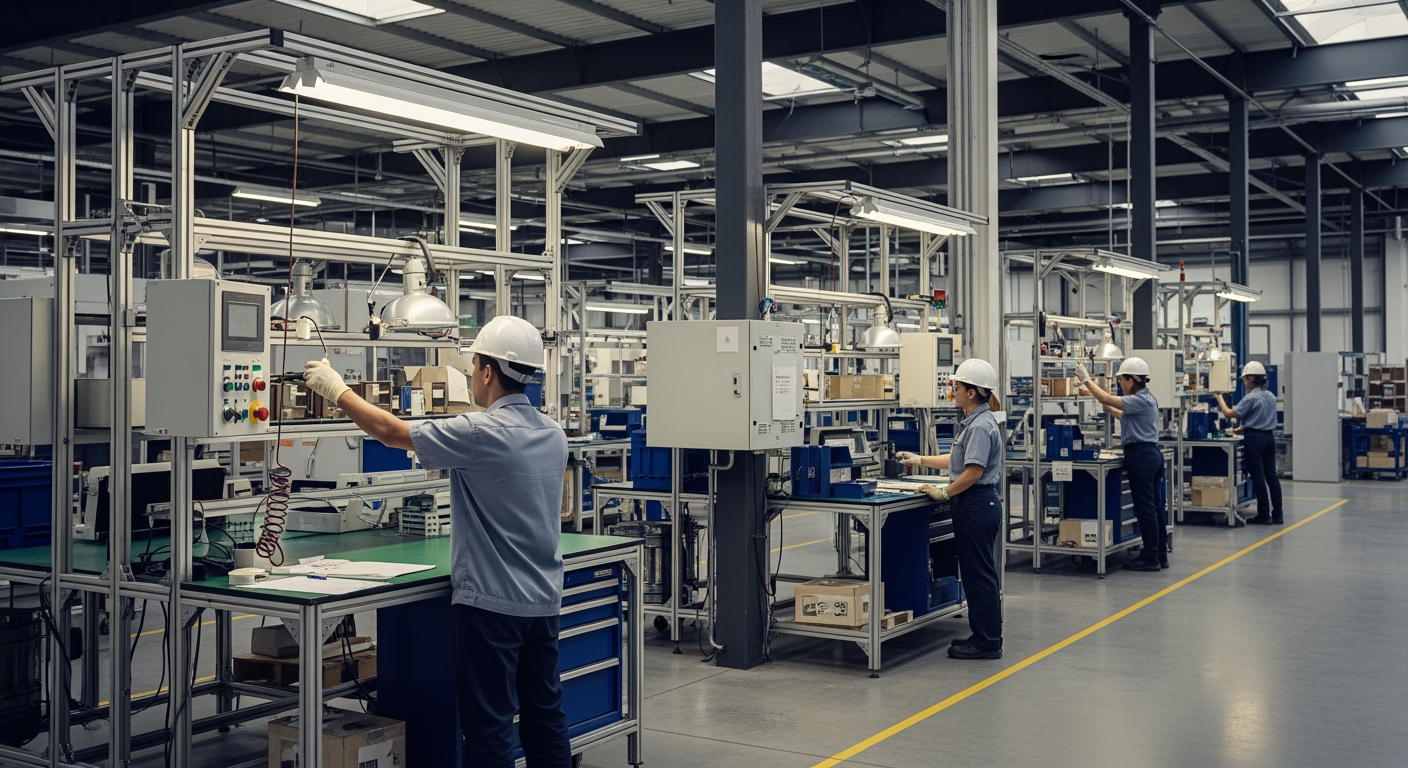
If you've spent any time on a production floor, you've seen the classic andon setup: a pull cord, a stack light, maybe a horn that goes off when something stops. For decades, that system worked. An operator pulled the cord, a supervisor walked over, and the team figured it out together.
But that model was built for a world where the biggest challenge was getting someone's attention. In 2026, the challenge isn't awareness. It's speed, context, and prediction. Pull cords tell you something went wrong. They don't tell you why, how often it's happening across shifts, or whether the same issue is brewing on Line 3 right now.
The andon concept — making problems visible so teams can act — is as relevant as ever. What's changed is the technology delivering on that promise. This article walks through how real-time machine monitoring and AI-powered alerting help plants move beyond static light towers to systems that get the right information to the right person before a small issue turns into lost production time.
Understanding the basics: andon, monitoring layers, and alert types
Before diving in, let's ground some terms. Manufacturing visibility isn't one thing; it's a stack of complementary layers.
Monitoring layer |
What it tracks |
Who uses it most |
|---|---|---|
Production monitoring |
Line output, schedule attainment, shift targets |
Operations directors, planners |
Machine monitoring |
Individual asset runtime, idle, downtime states |
Operators, supervisors |
Equipment monitoring |
Utilities, rotating assets (motors, pumps, compressors) |
Maintenance, reliability engineers |
Machine health monitoring |
Predictive signals: vibration, temperature, current trends |
Reliability teams, maintenance planners |
Factory monitoring |
Cross-line, cross-site KPI aggregation |
Plant managers, corporate ops |
A traditional andon system lived in the "machine monitoring" row — manually triggered, locally visible. A modern andon system spans all five layers: automatically triggered, digitally distributed, and increasingly predictive.
Most plants need at least two or three of these layers working together to get a clear picture. The good news: you don't have to deploy them all at once.
The real problem isn't awareness, it's ambiguity
Here's where many operations leaders get stuck. You know downtime is a problem. You might even have a rough sense of how much you're losing. But the specifics are buried in spreadsheets, shift handoff notes, or, worst case, someone's memory.
30–50% of downtime goes unmeasured or misclassified as idle time, changeover, or "other" (Guidewheel Performance Analysis). Plants that deploy real-time production monitoring systems typically uncover 15–25 hours of invisible losses per line per week in the first few days alone.
That's the gap a modern andon system fills. Not just "Line 2 is down" but "Line 2 stopped 14 minutes ago due to a film tension anomaly that's been recurring every third shift this week, and here's the recommended fix."
Why operators sometimes ignore alerts during busy shifts
This is worth addressing directly, because it's one of the most common frustrations. If your alert system fires constantly, operators learn to tune it out. Static threshold alerts, where the system screams every time a temperature crosses 75°C regardless of context, are the biggest culprit.
The fix isn't fewer alerts. It's smarter alerts. Adaptive thresholds that learn from your baseline operating conditions and only fire when something genuinely deviates from normal. In Guidewheel's experience working with customers, moving from static to adaptive alerting has reduced false alarms by 60–80% in some facilities (Guidewheel Customer Research), which means the alerts that do come through actually get attention.
✅
Moving from static threshold alerts to adaptive, baseline-aware alerting can reduce false alarms by 60–80%, dramatically improving operator trust in the system. When alerts carry context — what stopped, when, and suggested next steps — and are routed to the right person's mobile device with automatic escalation rules, response times drop from 30+ minutes to under five. The result is fewer ignored alerts, faster restarts, and measurably less lost production time.
How current sensing powers the modern andon
So how does this actually work on legacy equipment, the kind where half your machines predate your ERP system?
The approach that's gained traction in brownfield plants is simple: clip a sensor onto the power feed of a machine and read its electrical current signature. A running machine draws current in a predictable pattern. When that pattern changes, something changed on the machine.
This works on everything from decades-old CNC mills to brand-new packaging lines, without touching a PLC, without pulling a single wire, and without shutting down production to install. Guidewheel's FactoryOps platform uses exactly this approach: clip-on current sensors, combined with proprietary algorithms that translate those signals into run/idle/down data, anomaly detection, and predictive maintenance alerts. It works over cellular — no plant Wi-Fi required — which means even facilities with strict IT policies can get started with no IT project required.
The output is a machine monitoring dashboard that shows every asset's status in real-time, with historical trending, downtime categorization, and alerts routed to phones or tablets.
Setting up real-time downtime alerts for supervisors
For supervisors who need to act fast, the setup is straightforward:
Define which machines are critical (your bottleneck assets)
Set alert thresholds based on learned baselines, not arbitrary limits
Route alerts to mobile devices with context: what stopped, when, and suggested next steps
Establish escalation rules so unresolved alerts automatically bump up after a set time window
The goal is to get a supervisor acting within five minutes of an event, not scrambling to figure out what happened 30 minutes later.
What the benchmarks actually show
Let's look at some data to ground this. According to Guidewheel Performance Analysis across 3,000+ tracked machines, the overall median runtime sits at roughly 32%, while the volume-weighted average is closer to 55%. That gap tells an important story: a small number of high-utilization machines pull the average up significantly, while many assets sit idle more than they run.

This chart illustrates how dramatically perceived performance shifts depending on whether you measure by machine count or by total machine-minutes. In sectors like Pharmaceuticals and Plastics, the weighted average is multiples higher than the median, meaning a handful of high-volume machines mask the underutilization of many others.
The takeaway: if you're relying on plant-level averages to assess performance, you're almost certainly missing the full picture. Machine-level visibility, the kind a real-time equipment monitoring system provides, is the only way to see where capacity is actually hiding.
These benchmarks serve as reference points. Optimal performance varies significantly by facility, product mix, shift pattern, and equipment age.
Where your biggest improvement levers hide
When plants start categorizing downtime with real data instead of estimates, a clear pattern emerges. Here are the top loss drivers from Guidewheel's dataset, each representing an equally important focus area for operations teams:
Downtime category |
Share of total downtime |
Avg. duration per event |
Why it matters |
|---|---|---|---|
No business/orders |
26% |
318 min |
Market-driven, but real-time tracking prevents misclassification |
Other operational |
28% |
81 min |
High frequency, fully within plant control |
Mechanical breakdowns |
20% |
72 min |
Prime target for predictive maintenance alerts |
Staffing issues |
13% |
197 min |
Long events; remote monitoring helps bridge gaps |
Maintenance & cleaning |
11% |
85 min |
Schedulable; visibility shortens duration |
(Source: Guidewheel Performance Analysis. Percentages may not sum to 100% due to rounding.)

This scatter plot shows where modern andon systems can have the biggest operational impact. Mechanical breakdowns and operational issues cluster in the high-frequency, lower-duration zone, exactly where automated alerts and rapid response protocols deliver the fastest ROI. Staffing issues, by contrast, are less frequent but significantly longer per event, highlighting the value of remote monitoring and flexible scheduling tools.
The critical insight: while "no business/orders" dominates statistically, it's the operational, mechanical, maintenance, and staffing categories that your team can directly influence. These are the levers that respond to better visibility, faster alerts, and smarter scheduling.
Coaching supervisors to act on downtime within five minutes
The data above is only useful if it drives behavior. The protocol is simple: operators acknowledge and log a reason code within two minutes; supervisors receive an escalation if the line hasn't restarted by minute five; maintenance is automatically notified with context by minute fifteen; and plant managers receive a summary with recommended actions if the issue runs past that.
This isn't about adding pressure. It's about removing ambiguity so everyone knows what's expected and has the information they need to act.
The difference between andon lights and mobile alerts
Traditional andon lights are local, visible only to people near the line. They convey status (green/yellow/red) but no context. Mobile alerts invert that model:
Feature |
Andon lights |
Mobile/AI alerts |
|---|---|---|
Visibility |
Physical, line-of-sight only |
Anywhere, any device |
Context |
Color-coded status |
Root cause, history, suggested action |
Escalation |
Manual (walk over, call someone) |
Automatic, role-based routing |
Data capture |
None |
Full event log with timestamps |
Predictive capability |
None |
AI anomaly detection, trend analysis |
In 2025, the smartest plants use both. The physical light gives operators an immediate visual cue. The digital alert ensures the right support arrives fast, with the right context, whether they're on the floor, in the office, or at another facility.
A 12-week playbook to modernize your andon system
You don't need a massive capital project to make this shift. Here's a practical rollout framework:
Phase |
Timeline |
Actions |
Expected outcome |
|---|---|---|---|
Pilot |
Weeks 1–4 |
Deploy sensors on 1–2 bottleneck assets; stand up dashboards and basic alerts |
Uncover 10–20 hours/week of hidden downtime; validate data quality |
Scale |
Weeks 5–8 |
Expand to 5–10 assets; integrate with CMMS for auto work orders; train teams |
15–25% throughput uplift; maintenance shifts from reactive to planned |
Optimize |
Weeks 9–12 |
Tune AI models; activate predictive alerts; begin cross-line benchmarking |
20–30% MTTR reduction; ROI validated for broader rollout |
The pilot phase typically runs $5k–$15k and, based on Guidewheel customer data, often pays for itself within the first two to three weeks through recovered hidden downtime — though results vary by facility, asset mix, and baseline utilization. Scale and optimize phases build on proven wins, reducing organizational risk at every step.
This is the Pilot, Prove, Scale approach: start small, prove value with real numbers, then expand based on what the data tells you.
Start turning downtime data into production gains
The evolution from pull cords to AI-powered alerts isn't about replacing a simple system with a more complex one. It's about giving your teams the same situational awareness the andon cord was always meant to provide, just faster, smarter, and across every asset in your plant.
If you're still relying on spreadsheets, shift notes, or gut feel to understand where your production hours go, the first step is straightforward: pick your biggest bottleneck, clip on a sensor, and see what the data reveals. Guidewheel's FactoryOps platform makes this possible on any machine, old or new, typically within days.
We had our best month of the year, increasing production from 26k-35k/month to 46k cases in March. I attribute this to Guidewheel. Being able to see downtime data and address downtime reasons directly correlates to higher production.
Michael Palmer, VP of Operations, Direct Pack
Ready to see what your machines are actually doing? Book a Demo to start uncovering hidden capacity fast.
💡
Frequently asked questions
What is the difference between production monitoring, machine monitoring, and factory monitoring?
Production monitoring focuses on line-level output and schedule attainment: are we hitting today's plan? Machine monitoring is more granular, tracking individual asset states like running, idle, or down. Factory monitoring is the umbrella view that aggregates data across all lines, assets, and shifts for plant-wide or multi-site benchmarking. Most effective operations use a combination, starting with machine-level visibility and building up to the factory view as they scale.
How does real-time machine monitoring work on older equipment without disrupting production?
The most common approach for legacy machines uses non-invasive sensors, often clip-on current sensors, that attach to the power feed without any electrical connection to the machine itself. These sensors read the electrical signature to determine machine state. No PLC reprogramming, no production interruption, no IT infrastructure overhaul. Edge gateways process data locally and sync to the cloud over cellular or internet connections.
Which assets should we monitor first?
Start with your biggest bottleneck. In most plants, the top one or two downtime drivers account for 30–40% of total lost production time (Guidewheel Performance Analysis). Deploying on those assets first gives you the fastest path to measurable ROI and builds the internal credibility you need to expand. Common starting points include primary CNC machines, high-speed packaging lines, or critical rotating equipment like compressors.
How long does it take to see ROI from a machine monitoring system?
Most plants see initial value within the first two to four weeks, primarily through the discovery of hidden downtime that was previously unmeasured or misclassified. The pilot phase, typically covering one to two assets, often pays for itself within weeks. Broader ROI across throughput, maintenance cost reduction, and energy savings compounds over the following 8–12 weeks as monitoring expands and AI models learn your specific operational patterns.
What KPIs should a machine monitoring dashboard include?
At minimum, your dashboard should surface availability (uptime percentage), downtime reason categorization with Pareto analysis, MTTR (mean time to repair), and throughput versus plan. For maintenance teams, add MTBF (mean time between failures) and the ratio of planned versus unplanned maintenance events. For plant managers and corporate ops, include OEE trending, schedule attainment, and cross-line or cross-plant benchmarking. The key is making these metrics visible in real-time, not buried in weekly reports.
About the author
Lauren Dunford is the CEO and Co-Founder of Guidewheel, a FactoryOps platform that empowers factories to reach a sustainable peak of performance. A graduate of Stanford, she is a JOURNEY Fellow and World Economic Forum Tech Pioneer. Watch her TED Talk—the future isn't just coded, it's built.